Zen Windows
A downloadable Customization Tool for Windows
Zen Windows
A state of desktop tranquility.
What Does "Minimalist" Mean in Zen Windows?
Minimalism isn't just about hiding desktop icons—it's about removing friction, visual noise, and digital background chaos.
In Zen Windows, minimalism means:
- Visual Clarity: Stripping away forced taskbar elements, cluttered menus, and hidden file extensions so your workspace feels intentional.
- System Efficiency: Disabling background telemetry, bandwidth hogs, and micro-stutters so your PC runs as quietly and quickly as it looks.
- Complete User Agency: No bloat, no forced installs. A modular experience where you decide every single tweak applied to your machine.
A Complete Suite: Packed With Features
Don't let the minimalist look fool you—under the hood, Zen Windows is loaded with a comprehensive set of optimizations, privacy tweaks, aesthetic enhancements, and system tools:
System Safety & Network Privacy
- Automated System Restore Point: Creates a safety checkpoint before any changes are made to ensure a risk-free setup.
- AdGuard DNS Protection: Configures active network adapters with AdGuard DNS to block ads and trackers system-wide.
- Telemetry & Tracking Disabler: Shuts down Windows data collection and background Delivery Optimization to save bandwidth and protect privacy.
Performance & Latency Optimization
- High Performance Power Plan: Instantly forces the system into High Performance mode for maximum system responsiveness.
- SSD Smart Tweaks: Automatically detects solid-state drives and disables Hibernation to preserve drive health and reclaim gigabytes of storage.
- Micro-Stutter & Delay Fix: Removes HPET timer overhead and sets menu animation delays to
0for instant UI reaction times.
System Debloating
- Chris Titus WinUtil Integration: Built-in access to execute Minimal, Standard, or Advanced debloat profiles.
- Deep Edge Removal: An optional feature to completely unlock and uninstall Microsoft Edge from your system.
Personalization & Custom Aesthetics
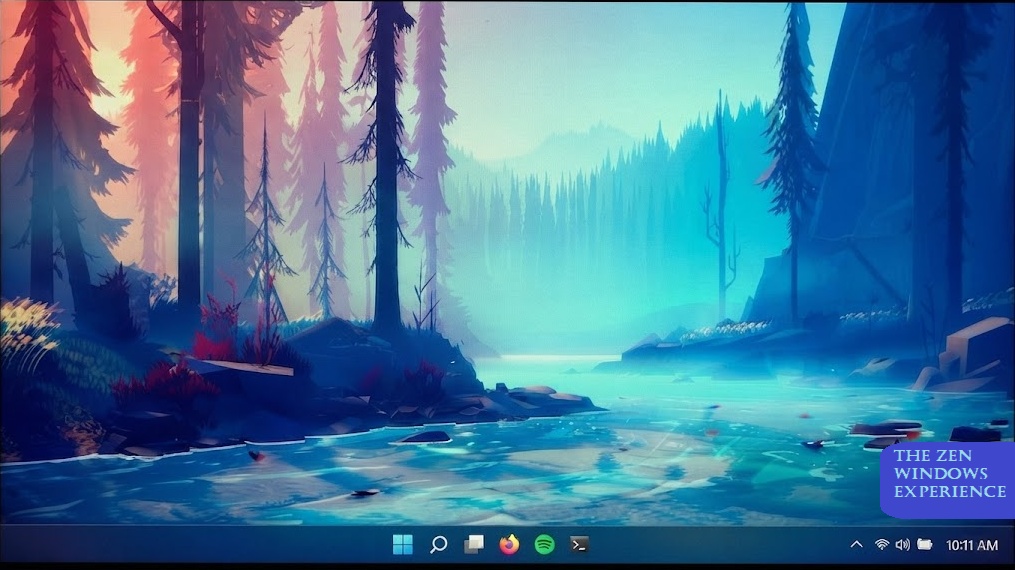
- Desktop Wallpaper Auto-Sync: Automatically applies local wallpaper files directly from the setup folder.
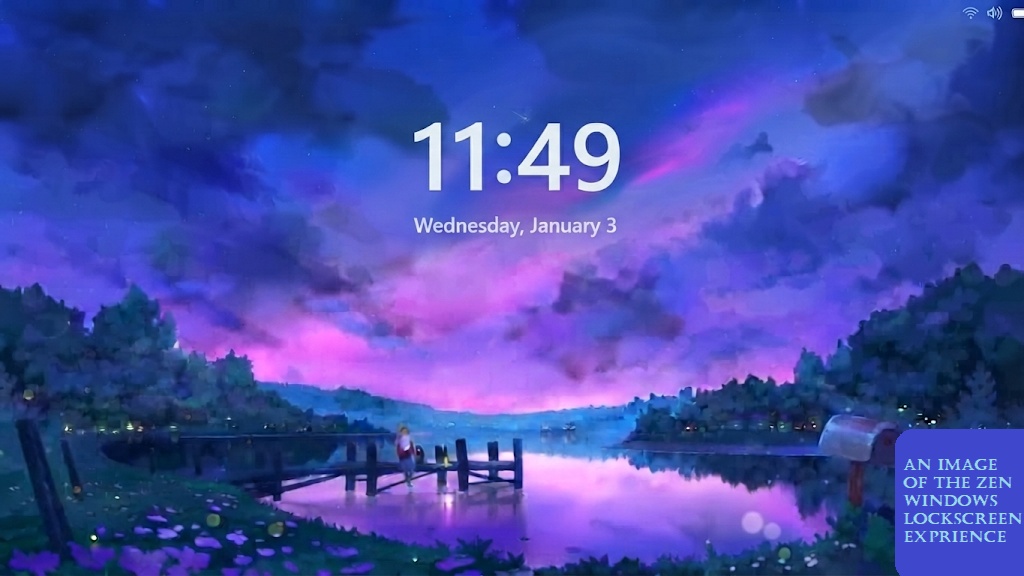
- Lock Screen Personalization: Sets custom lock screen imagery through Windows Personalization policies.
UI & Desktop Refinement
- Classic Context Menu: Restores the traditional, full Windows right-click menu without extra clicks.
- File Extension Visibility: Unhides file extensions in File Explorer for quick, accurate file navigation.
- Clean Taskbar Layout: Removes the bulky Search bar, Task View, and Copilot buttons for a streamlined look.
Power User Tools
- Automated App Deployments: Uses Winget to silently install Windhawk (for advanced UI customization) and Microsoft PowerToys.
Total Control & Flexibility
Zen Windows is built with 100% interactive PowerShell prompts. Every single feature listed above is optional—the script prompts you step-by-step so you only apply the tweaks you actually want.
Purchase
In order to download this Customization Tool you must purchase it at or above the minimum price of $3.98 USD. You will get access to the following files:
Leave a comment
Log in with itch.io to leave a comment.