Windows 10 Mod
A downloadable Customization Tool for Windows
Welcome to Windows 10 Mod, the ultimate automation tool designed to take absolute control of your desktop environment and reshape it entirely to your preferences. If you are tired of modern clutter, forced telemetry, design inconsistencies, and workflow disruptions inherent in newer operating systems, this comprehensive suite provides an immediate, seamless solution to restore the clean, efficient, and familiar aesthetics of Windows 10.
Why Choose Windows 10 Mod
Unlike basic theme packs that only scratch the surface by swapping out a single background image or applying a superficial color scheme, Windows 10 Mod executes a thorough, deep system-level transformation. It bridges the architectural gap between modern underlying OS frameworks and classic usability, deploying a fully realized legacy environment complete with authentic audio cues, precise custom icon mapping, and responsive, traditional window management all through a single, streamlined automated process.
Additional Value and Superior Performance
By moving far beyond simple aesthetic adjustments, Windows 10 Mod fundamentally optimizes your daily computing workflow. It eliminates the friction caused by heavy, intrusive background telemetry and modern design redundancies that slow down productivity. Every included tweak—from purging unwanted application bloatware to streamlining window snapping and restoring lightweight system utilities—is engineered to reclaim your system's resources. This means faster response times, a distraction-free workspace, and complete personal ownership over your machine's behavior without requiring hours of tedious manual registry editing.
Comprehensive Feature List
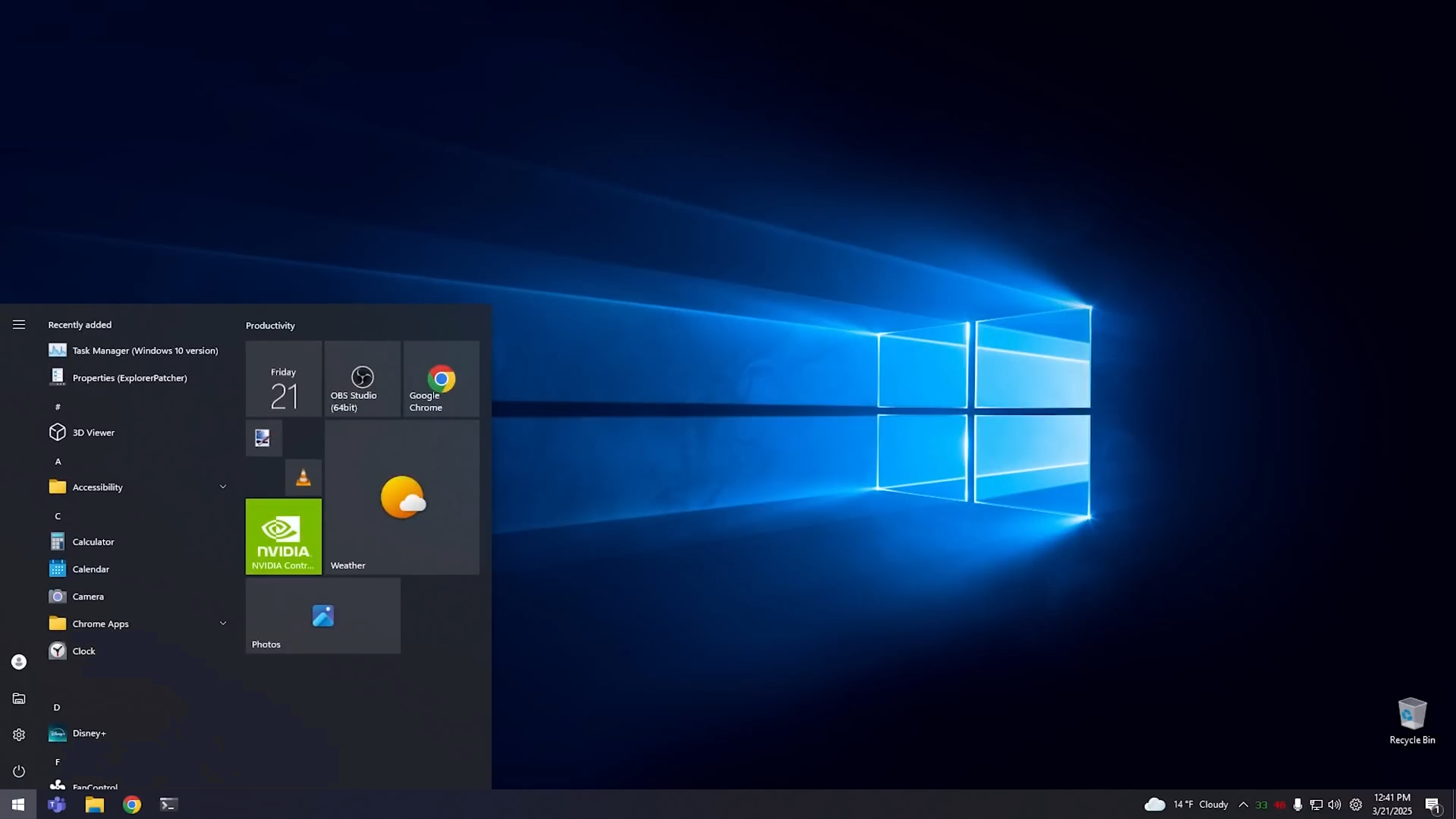
- Native Shell Restoration: Reclaims the authentic taskbar experience, classic Start menu layout, and traditional system tray behavior, eliminating modern interface hurdles.
- Modern UI Stripping: Automatically neutralizes and removes distracting visual anomalies like modern rounded corner styles on application windows, preserving a sharp, uniform, and professional aesthetic across the entire workspace.
- Classic Task Manager: Replaces bloated modern resource monitors with a lightweight, lightning-fast legacy resource manager that gives you instant, unhindered insight into system performance.
- Immersive Asset Deployment: Seamlessly configures your local custom desktop wallpapers and lock screen images directly into the system parameters without manual registry hassle or configuration errors.
- Complete System Sound Scheme: Automatically maps and deploys original audio cues across every single system event, including device hardware connections and removals, critical system stops, low battery alerts, and navigation clicks.
- Global Icon & Shell Mapping: Deeply overrides system CLSID identifiers and shell associations to display classic, high-detail icon assets across local hard drives, user directories, control panels, network locations, and shortcut overlay arrows.
- Advanced Registry & Multitasking Tweaks: Instantly restores the classic right-click context menu, granular taskbar alignment preferences, and legacy window snapping controls for superior multitasking efficiency.
- Optional System Debloater: Features an integrated, interactive prompt that allows you to safely purge pre-installed system app bloatware and permanently disable unwanted virtual assistant features in one go.
Additional Customization and Fine-Tuning
To ensure your newly transformed environment runs at peak performance and fits your exact visual standards, Windows 10 Mod includes flexible underlying configuration options. You can easily swap out custom icon packs or audio libraries within your local directories to match your specific taste. The automation engine safeguards your primary configuration by establishing a native system restore point at the very beginning of execution, ensuring you always have a reliable safety net if you decide to revert changes. Furthermore, all registry-level adjustments are cleanly compiled to target user and system hives directly, preventing orphaned keys and maintaining system stability over long-term daily usage.
Purchase
In order to download this Customization Tool you must purchase it at or above the minimum price of $3.98 USD. You will get access to the following files:
Leave a comment
Log in with itch.io to leave a comment.